Tranquility Spa Concierge
Turned a 20-service spa menu into a guided booking path that attaches each recommendation to the staff appointment record.
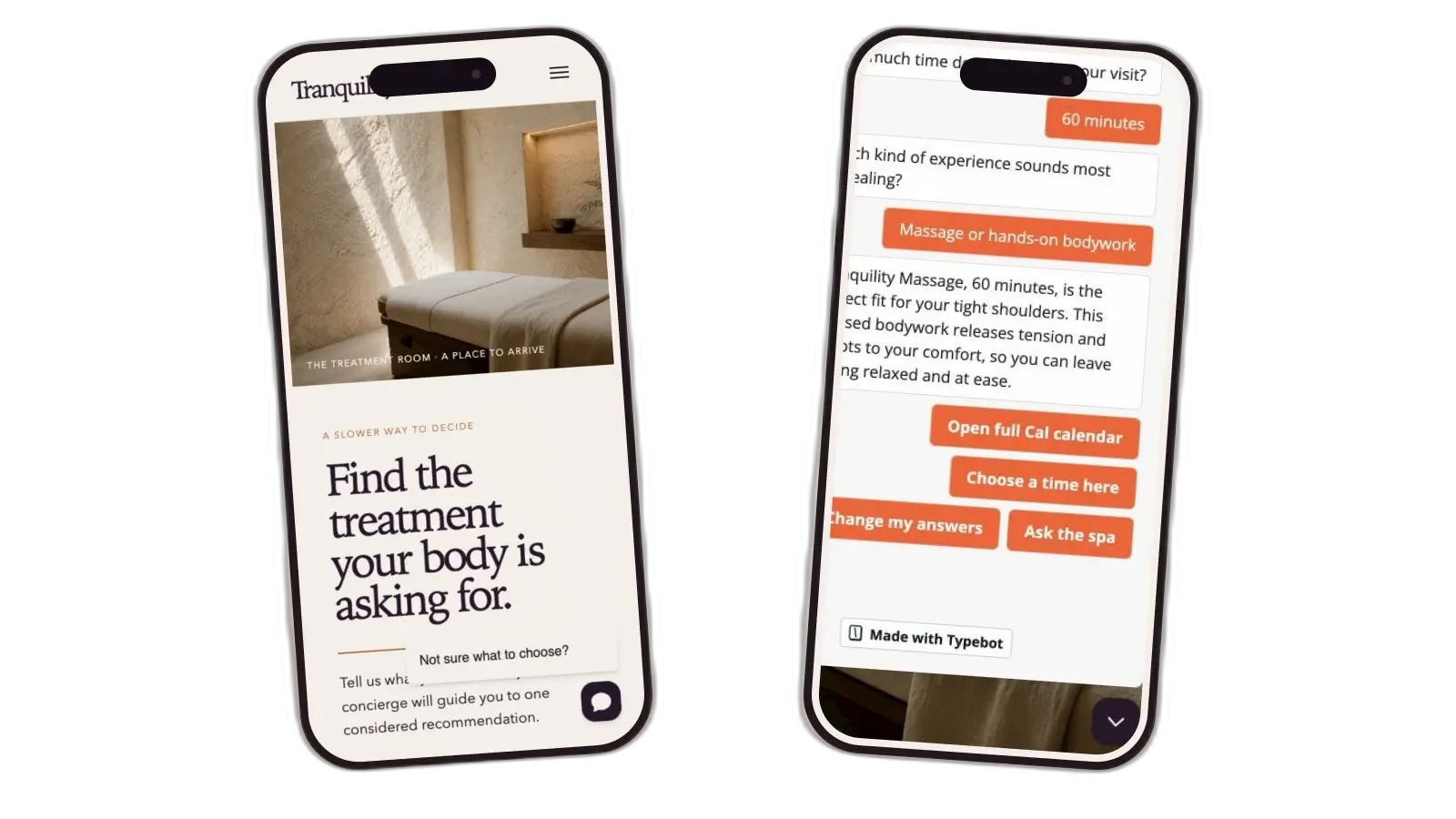
A long service menu left guests unsure what to book
I built Tranquility after an operations consultant described what happens when a spa offers dozens of treatments: visitors often cannot tell which one fits and postpone booking. The prototype uses a fictional spa and a 20-service catalog to test a guided booking path.
The selected treatment had to stay with the appointment after the conversation ended. Staff needed one Airtable record that explained the recommendation and showed whether intake and follow-up were complete.
How the components work together
The spa website is the starting point. Guests use Typebot to describe what they need. Make reads the catalog in Airtable and asks DeepSeek, an AI model, to rank only qualifying services. Cal.com handles booking, and Tally collects the forms that Make attaches to the appointment staff manage in Airtable.

The conversation, booking, and forms all update the Airtable appointment staff use.
The spa's service rules decide which treatments qualify
DeepSeek could choose only from services approved in Airtable. The chosen service also had to match the guest’s goal and exact time available.
Filter the catalog before sending choices to AI.
Airtable marks each service active or retired and stores its booking group. Make removes services that do not match the selected duration, then DeepSeek ranks the remaining choices.
Keep the service and booking rules outside the chat builder.
Typebot asks the questions and shows the answer. Make reads the current Airtable catalog and returns a matching treatment. Cal.com provides the appointment times. The spa can change the conversation without touching those rules.

Only active services with the right duration and goal fit become candidates for the final recommendation.
Guests can ask for help without leaving the spa website
The concierge sits inside a complete spa website alongside the full 20-service menu. A floating button gives visitors who do not know what to choose a direct way to ask for help.
Visitors describe what they want and how long they have. If needed, Typebot asks one follow-up question about the experience they prefer. It shows a recommended service before requesting contact details. Those details appear only after the visitor chooses booking or staff help.
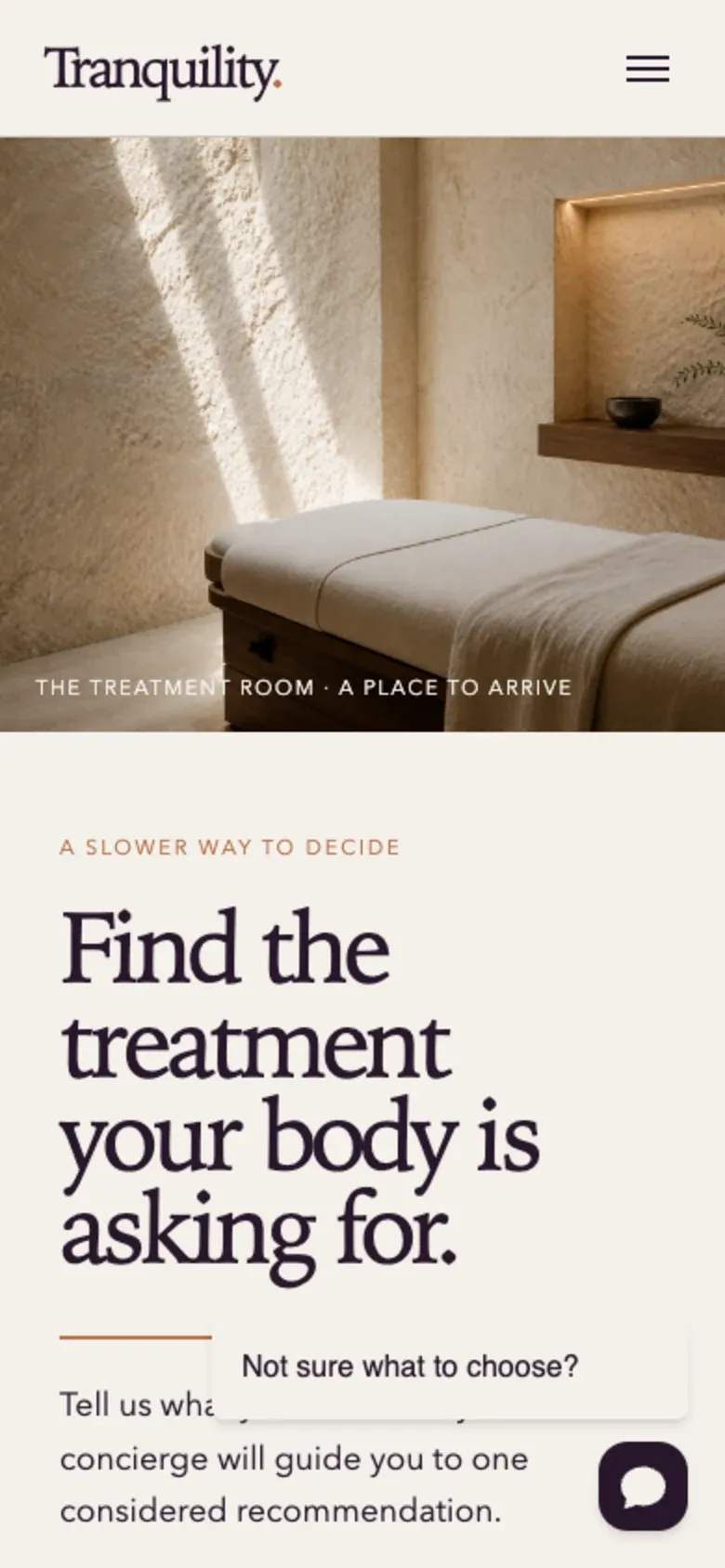
The floating prompt stays visible as guests browse services without covering the page.
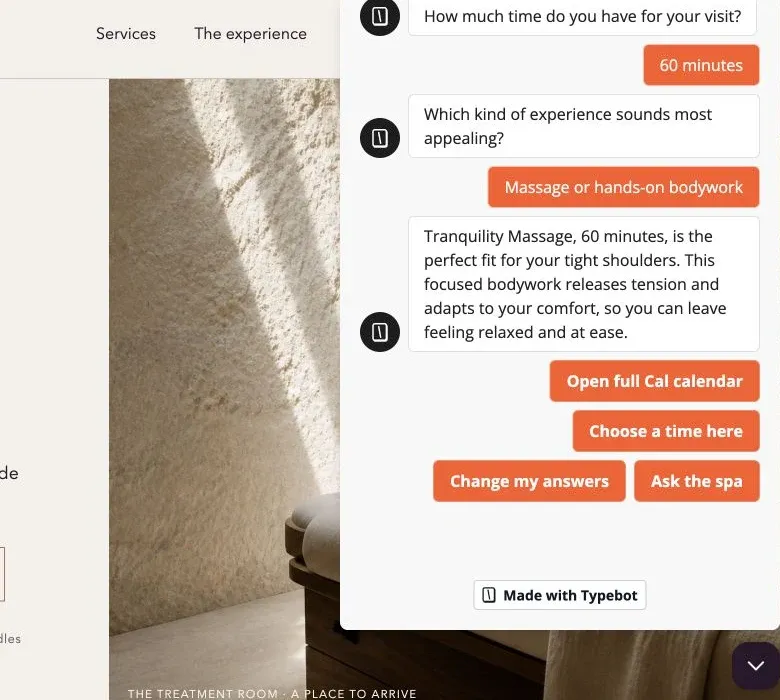
After recommending Tranquility Massage, the flow lets the guest book or ask staff for help. They can also revise their answers.
The recommended service opens the right booking calendar
Twenty services share six Cal.com booking groups, avoiding 20 separate event types. The concierge opens the group for the recommended service and includes its name and duration in the booking link. Cal.com shows current openings and saves the appointment.
After booking, Tally receives the appointment details without showing them as questions. The guest answers only what staff need to prepare.
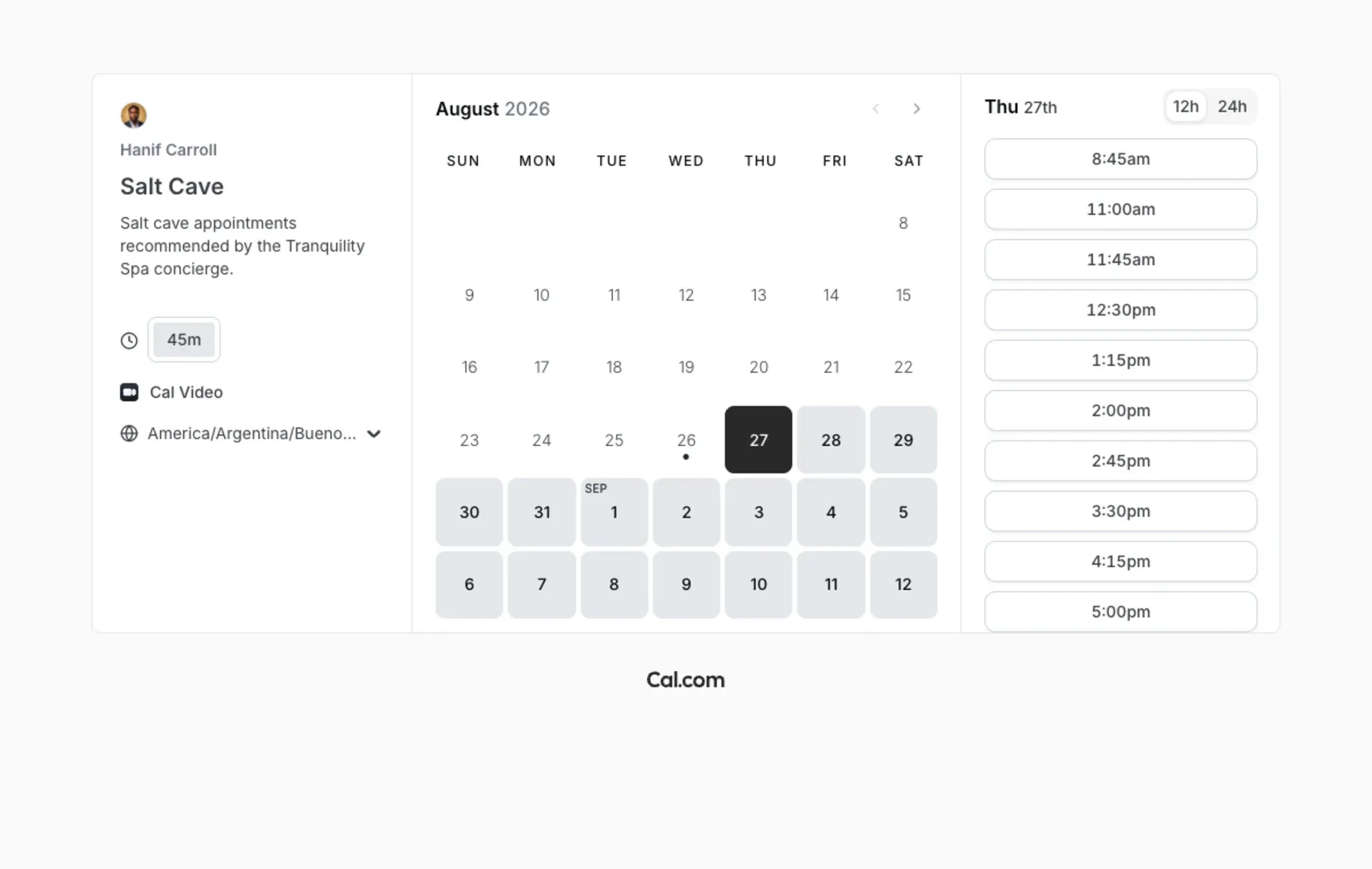
The concierge opens the shared booking group that matches the recommended service and duration.
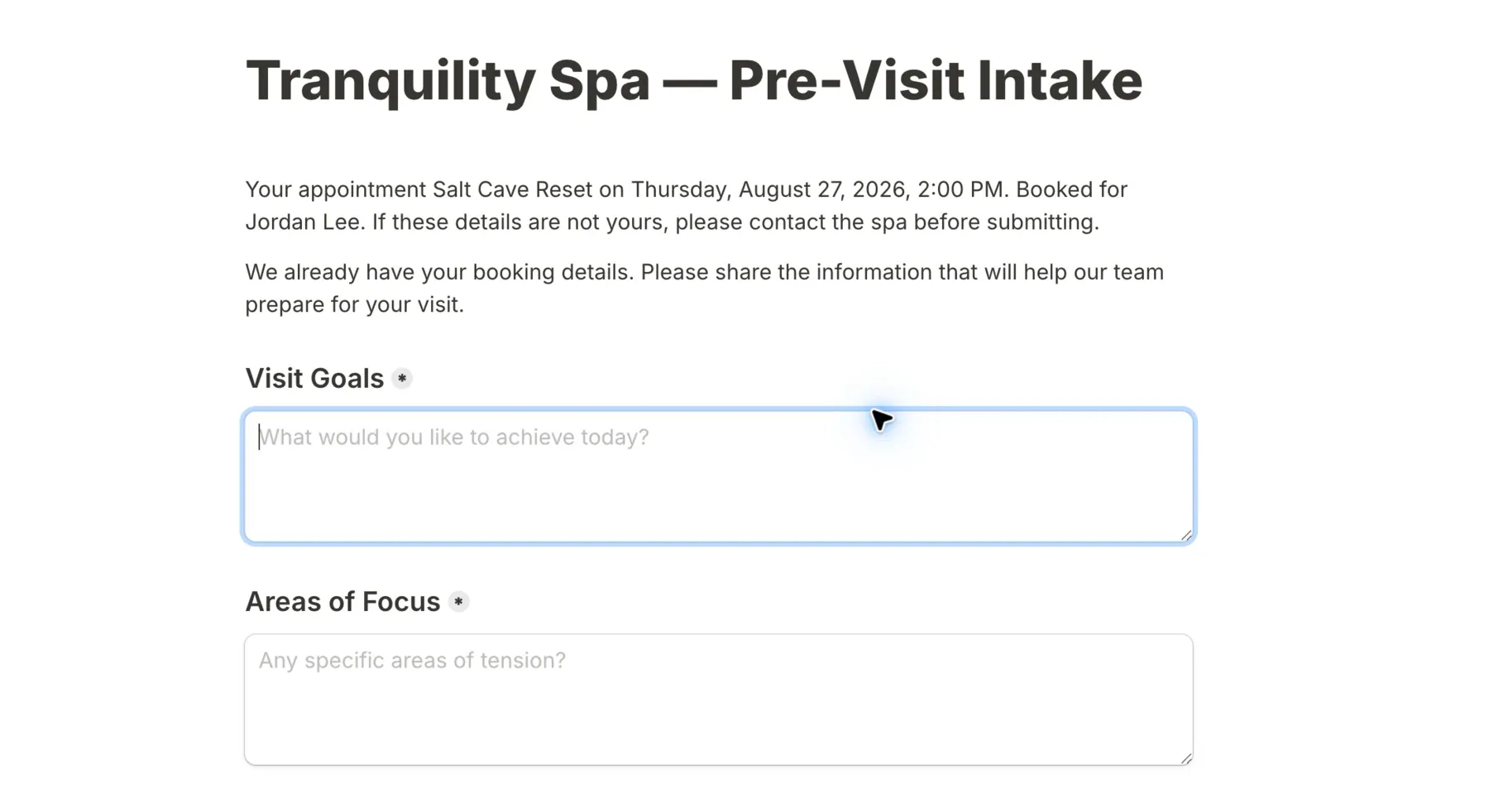
Hidden booking context identifies the appointment so the visible form can ask only what staff need to prepare.

The appointment details are already in the email, followed by the intake link.
Staff run the day from one Airtable queue
The Airtable interface opens on today’s visit queue. Another view shows appointments with missing intake or incomplete follow-up. Staff open the appointment record before the visit, add notes afterward, and update services from the catalog when needed.
When staff mark a visit complete, Make emails the recorded aftercare and the feedback form. Airtable records whether each message has been sent.

The dashboard shows today's visits first and separates appointments missing intake.

Staff update the catalog in Airtable. The next recommendation request reads those changes.

The record shows the guest's intake before the visit and gives staff fields for notes and aftercare afterward.
Make runs a separate automation for each event
A booking creates the Airtable appointment and sends the preparation email. Submitted intake updates the same record. Completing the visit sends aftercare and the feedback form. A request for contact alerts the owner.
The recommendation follows a separate Make automation. Typebot sends the guest’s answers; Make filters the Airtable catalog and sends back the recommended service.
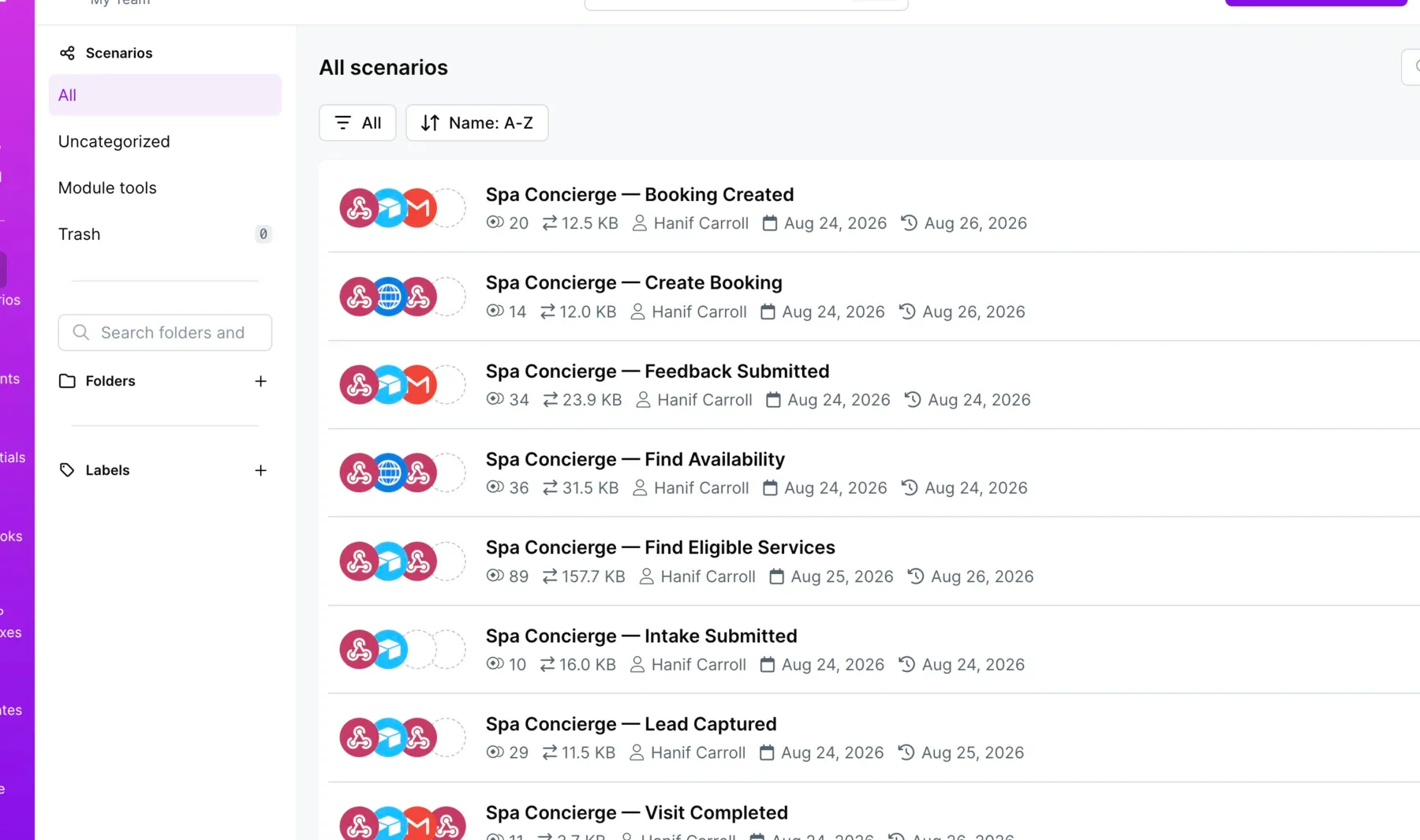
Names such as Booking Created and Visit Completed let staff find the right automation without opening it.
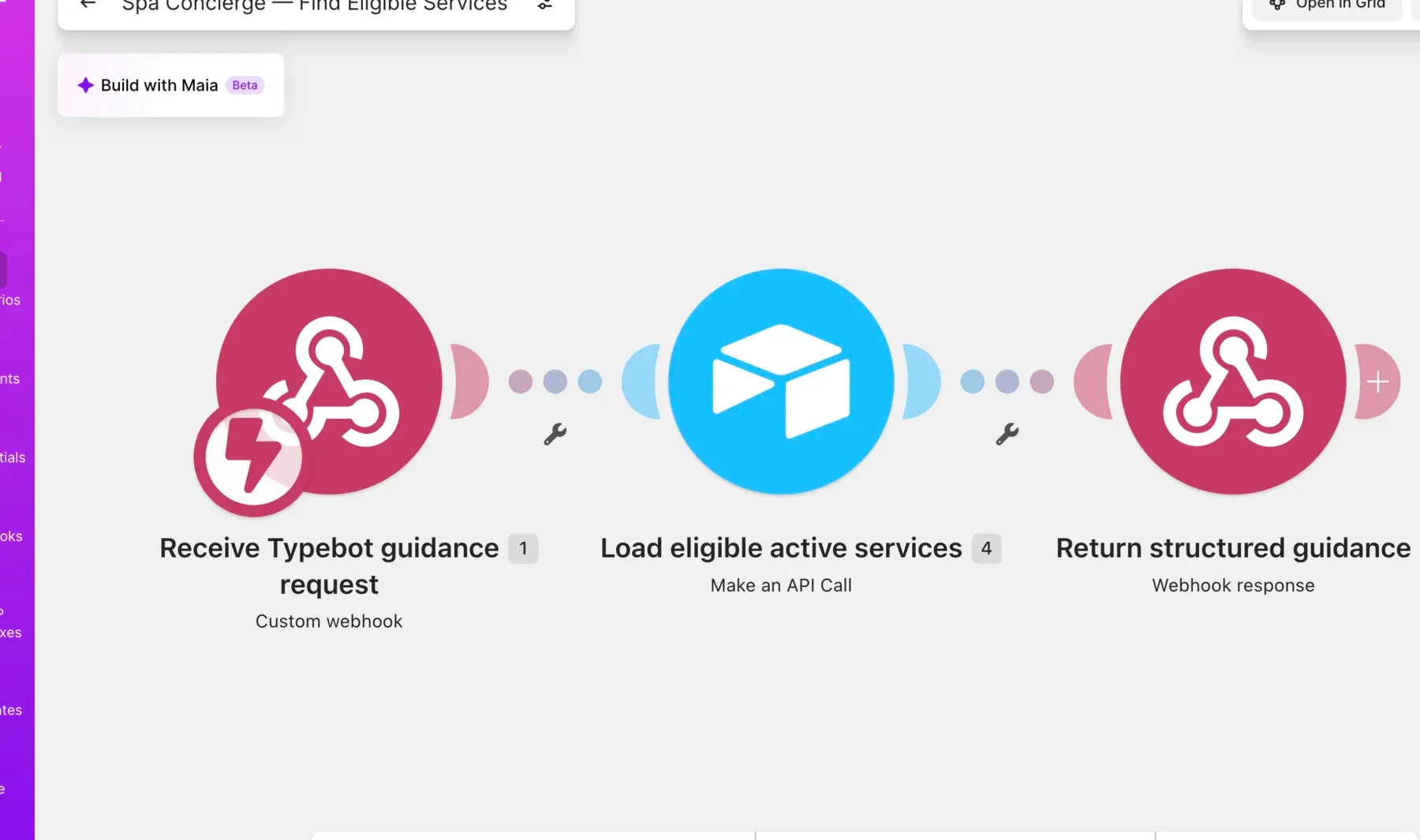
Make loads only active services matching the selected duration before DeepSeek sees any candidates.

Marking the visit complete sends the staff-written aftercare and a link to the feedback form.

Tally records the rating and whether the guest wants staff to contact them.

The alert identifies the visit and includes the guest's comments, so the owner can respond from the email.
What the prototype proved
By the end of the prototype, the recommended service stayed attached to the appointment from booking through post-visit follow-up. Staff could manage the visit without returning to the chat transcript.
The guest receives one service that fits the time available.
The concierge checks the guest's request and available time against the active catalog before returning a service.
The recommendation stays attached to the appointment.
The selected service stays attached to the appointment, so staff see it when they prepare for the visit and send follow-up.
The service catalog stays editable without rebuilding the bot.
Staff change a service in Airtable. Make uses the updated record the next time someone asks for guidance.
Typebot's free plan allows 200 chats per month.
Higher-volume use would require a paid Typebot plan or a replacement that calls the same Make automation.
Typebot remains the only unresolved launch choice. Its free plan allows 200 chats per month. Replacing it would leave the Airtable catalog and Make automations intact.
Tell me what your team needs to ship.
Start with the feature, integration, or system that's stuck. We'll work out whether a project or a monthly contract fits.