Palabruno: From Early Prototype to Launch
Took an early Spanish-reading prototype to launch across iOS, Android, and web, with a paid tutor workspace and separate mobile and web payments.
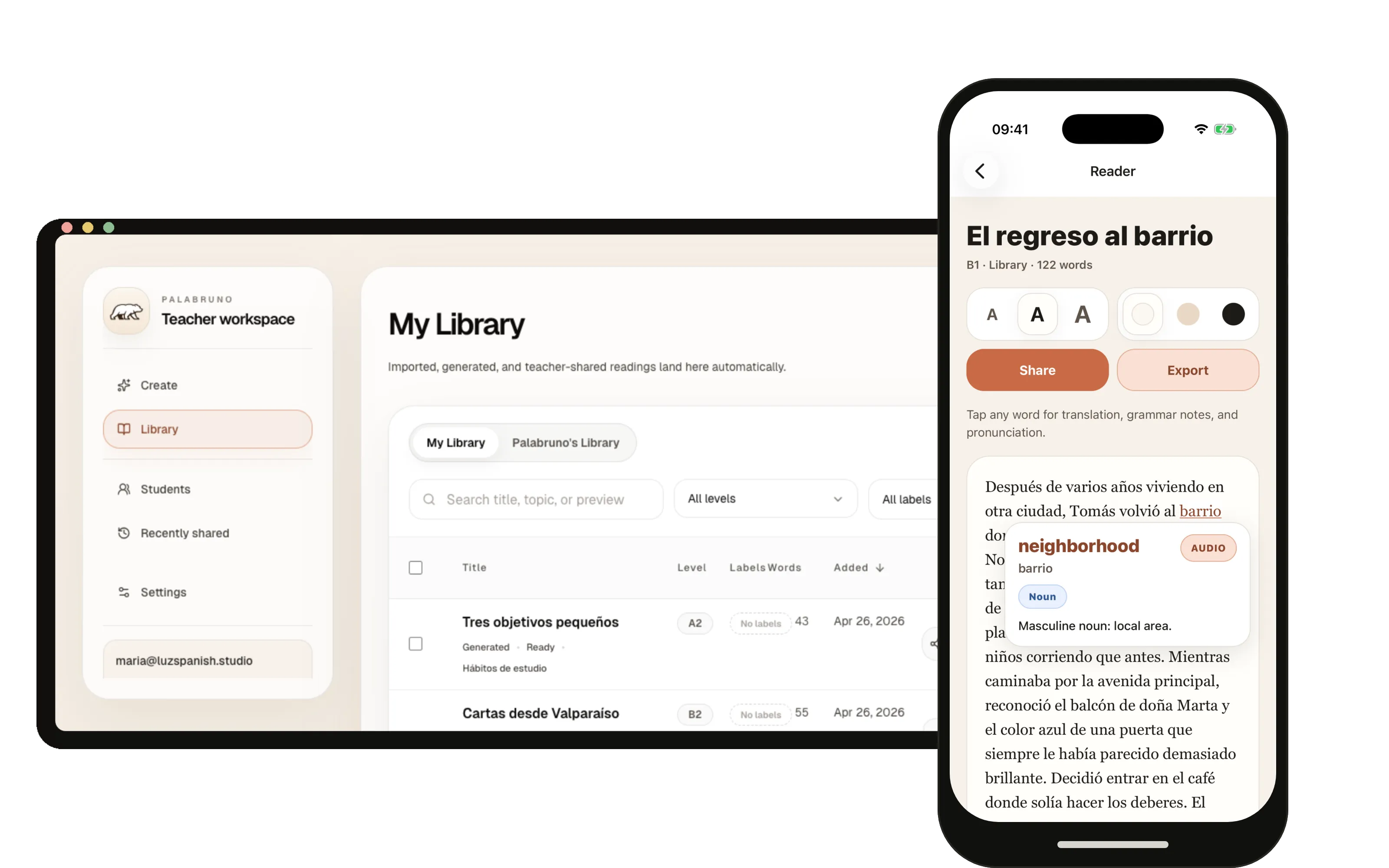
Project overview · 40 seconds
An early prototype needed a first buyer
Palabruno began with an early prototype for a Spanish reader. Learners could tap a word for translation, grammar, and pronunciation help without leaving the text. I helped take it through launch on iOS, Android, and web.
I worked directly with the founder to decide who would pay first, scope the learner and teacher workflows, add payments, complete the store launches, and prepare the handoff.
I treated tutors as the first buyer to test
Sell to tutors first.
Solo learners could use the reader, but tutors already needed to create readings and send them to students. That made tutors the first buyer worth testing.
Keep learner and teacher work separate.
I narrowed the product into a mobile reader for students and a web workspace for teachers. That let each audience get the workflow it needed without forcing every feature into the same interface.
The mobile product centered on reading, saved texts, translation support, and Premium upgrades. The teacher workspace handled class management, custom readings, sharing, and paid teacher accounts.
Students read on mobile while teachers prepare lessons on the web
The shipped product connected three surfaces: the mobile reader, the teacher web workspace, and the public launch site.
On mobile, learners can read Spanish content, tap words for support, save useful readings, and upgrade to Premium through the app stores.
On web, teachers can create custom readings from lesson notes, manage students and groups, share material, track recent shares, and buy the Teacher plan through Stripe.
Payments, store launches, and handoff were part of the MVP
Use mobile billing for Premium and web billing for Teacher.
RevenueCat handles Premium subscriptions through Apple and Google. Stripe handles Teacher payments on the web, where tutors use the workspace.
Leave the founder with a product he could run.
I prepared the legal pages, store listings, screenshots, release docs, public copy, and handoff notes. The founder could operate the product and keep testing the tutor-first offer after the engagement.
The MVP launched across mobile and web
Palabruno launched on iOS, Android, and web. The founder can now test whether tutors will pay for the teacher workspace while learners use the reader.
Tutors were the first buyer to test.
Tutors already create lesson material and send it to students. The Teacher plan gave them a paid workspace for readings, students, groups, and sharing.
Premium and Teacher use separate payment paths.
RevenueCat handles Apple and Google subscriptions for Premium. Stripe handles Teacher payments on the web.
The MVP reached both app stores.
The launch also included a public site, pricing, legal pages, screenshots, release notes, and store listings.
The founder could run the product after launch.
The handoff covered the shared backend, store assets, release steps, and product documentation.
The teacher workspace supports the full lesson loop
Screens from the teacher workspace show the core product surfaces: create a reading, manage students, organize groups, and share material.
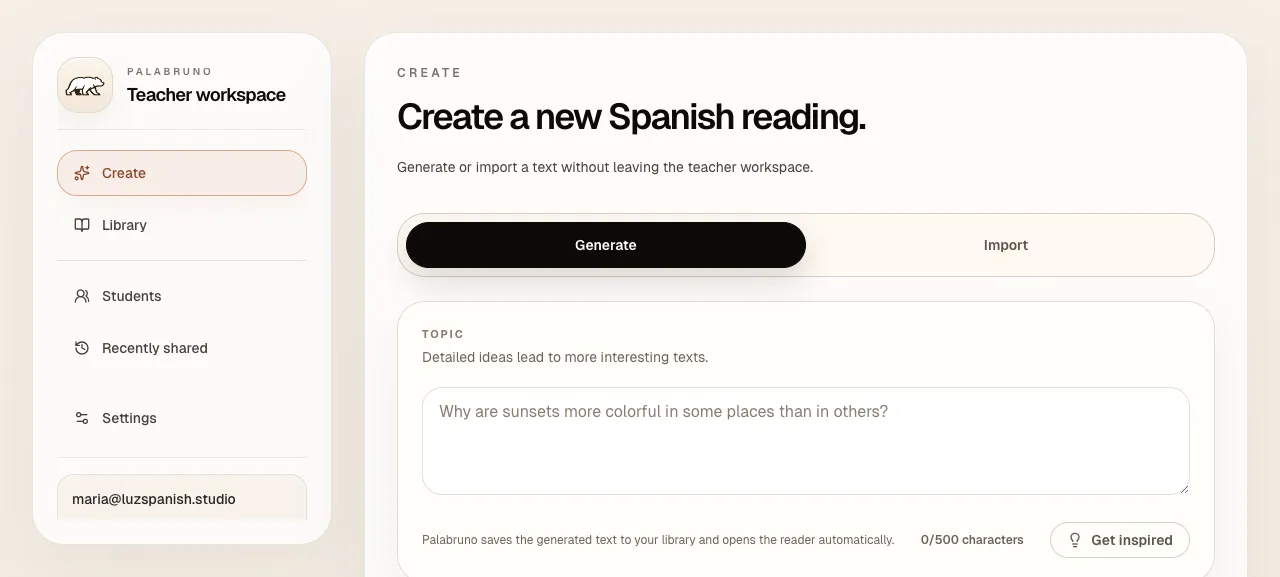
Teachers can choose a topic, level, and length, then turn class material into Spanish reading practice.
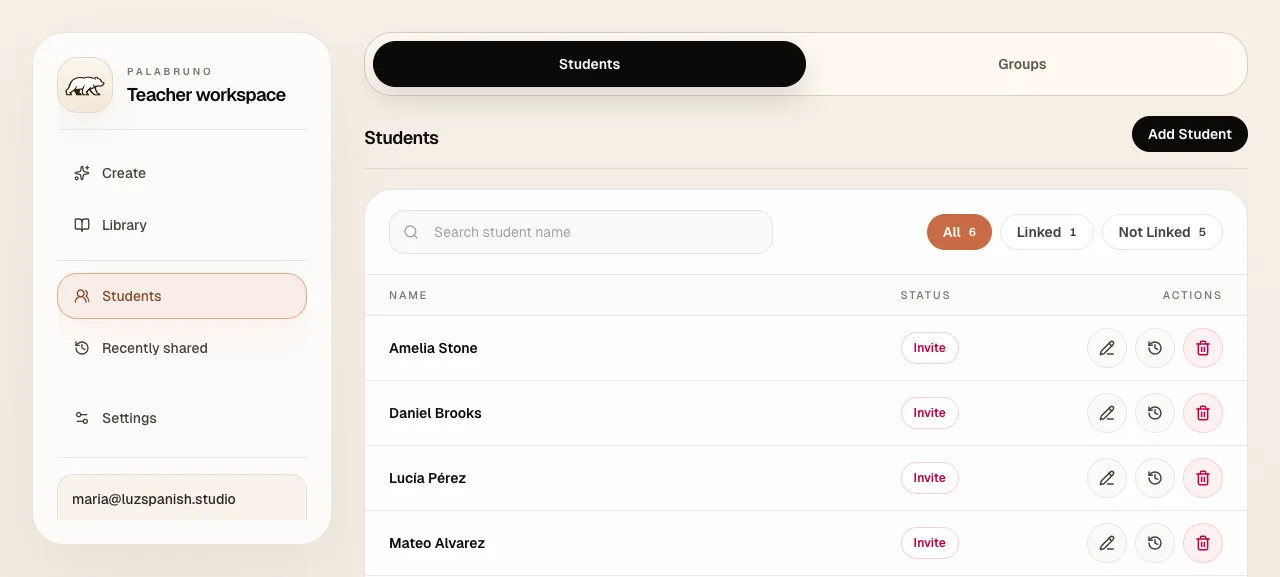
The roster keeps student names, invite status, and next steps close to the reading workflow.
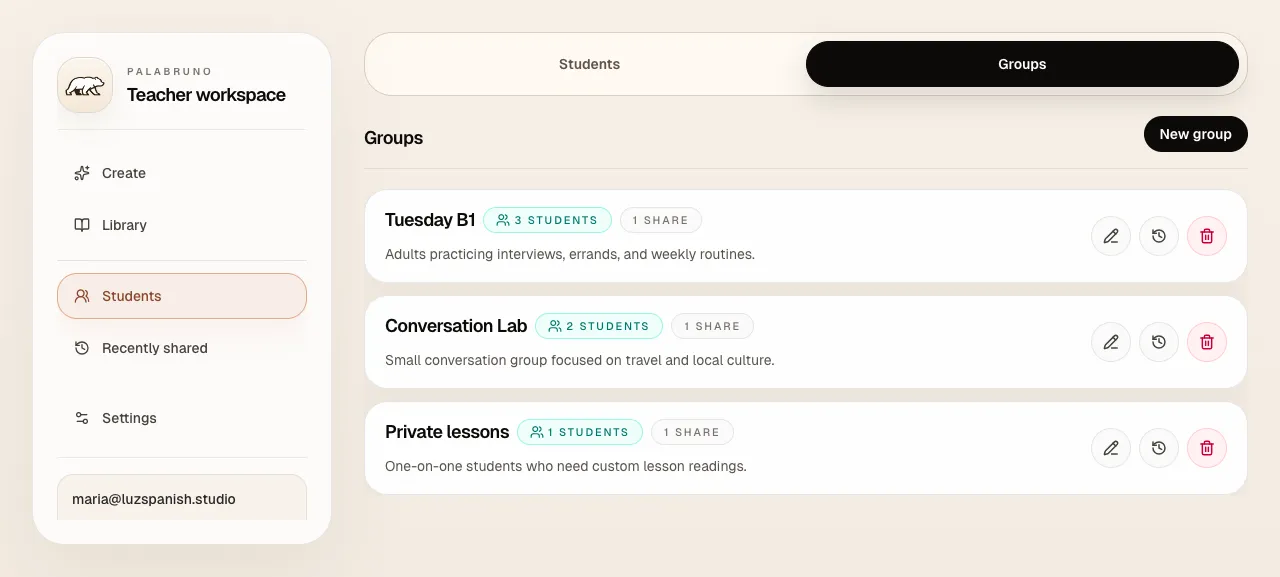
A teacher can group students for recurring lessons and share a reading with the right class.
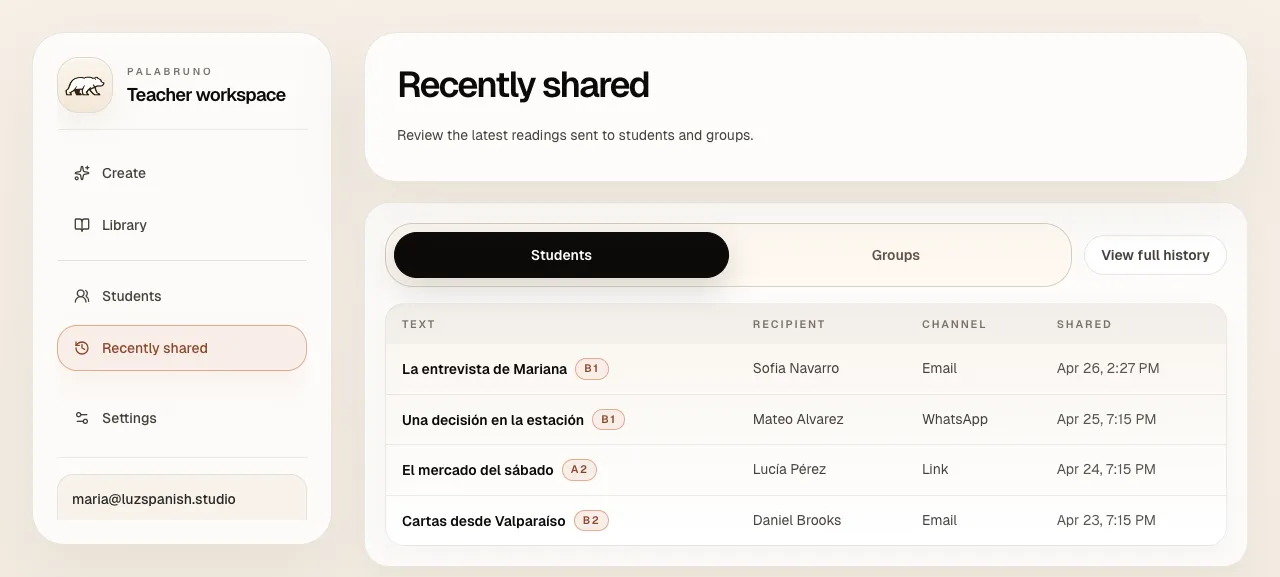
Recent shares make it easier to track assigned readings across email, links, and WhatsApp.
The learner surface keeps support inside the story
The learner experience is the other half of the product: readers can work through Spanish content, get help in context, and return to a library of useful texts.
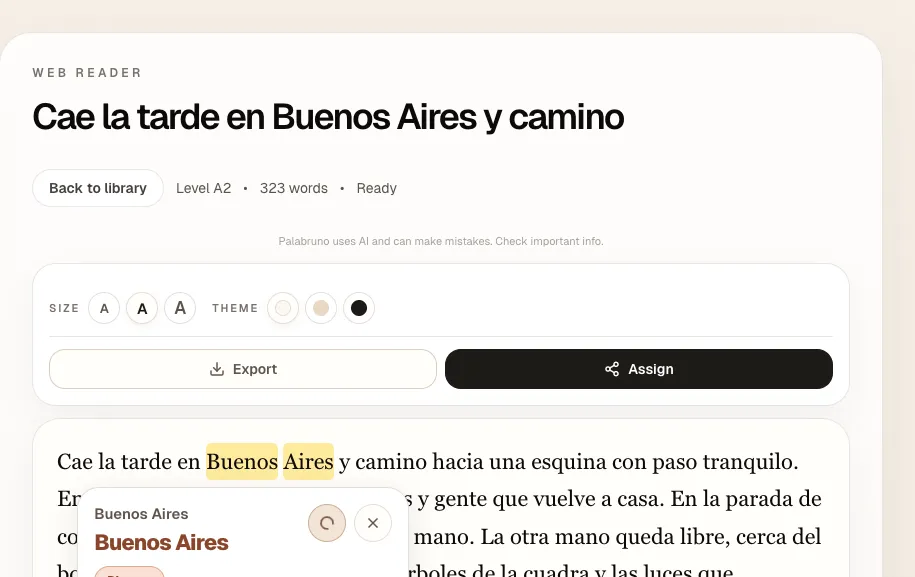
Learners can select a word for translation, pronunciation, and grammar help without leaving the story.
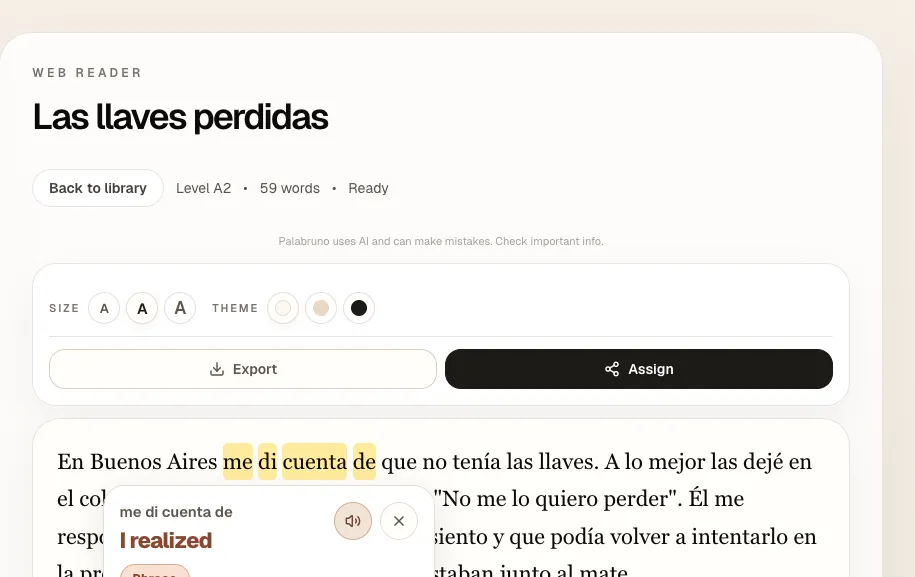
Contextual support helps learners understand expressions such as me di cuenta de without breaking concentration.
Have a product priority that needs an owner?
I join B2B SaaS teams on contract to ship the features, internal tools, and integrations already on your roadmap.