Neden — Language learning inside IINA
Built a macOS video-player plugin that lets learners click subtitle words for meanings, select phrases for contextual AI explanations, and ask follow-up questions without leaving the video.
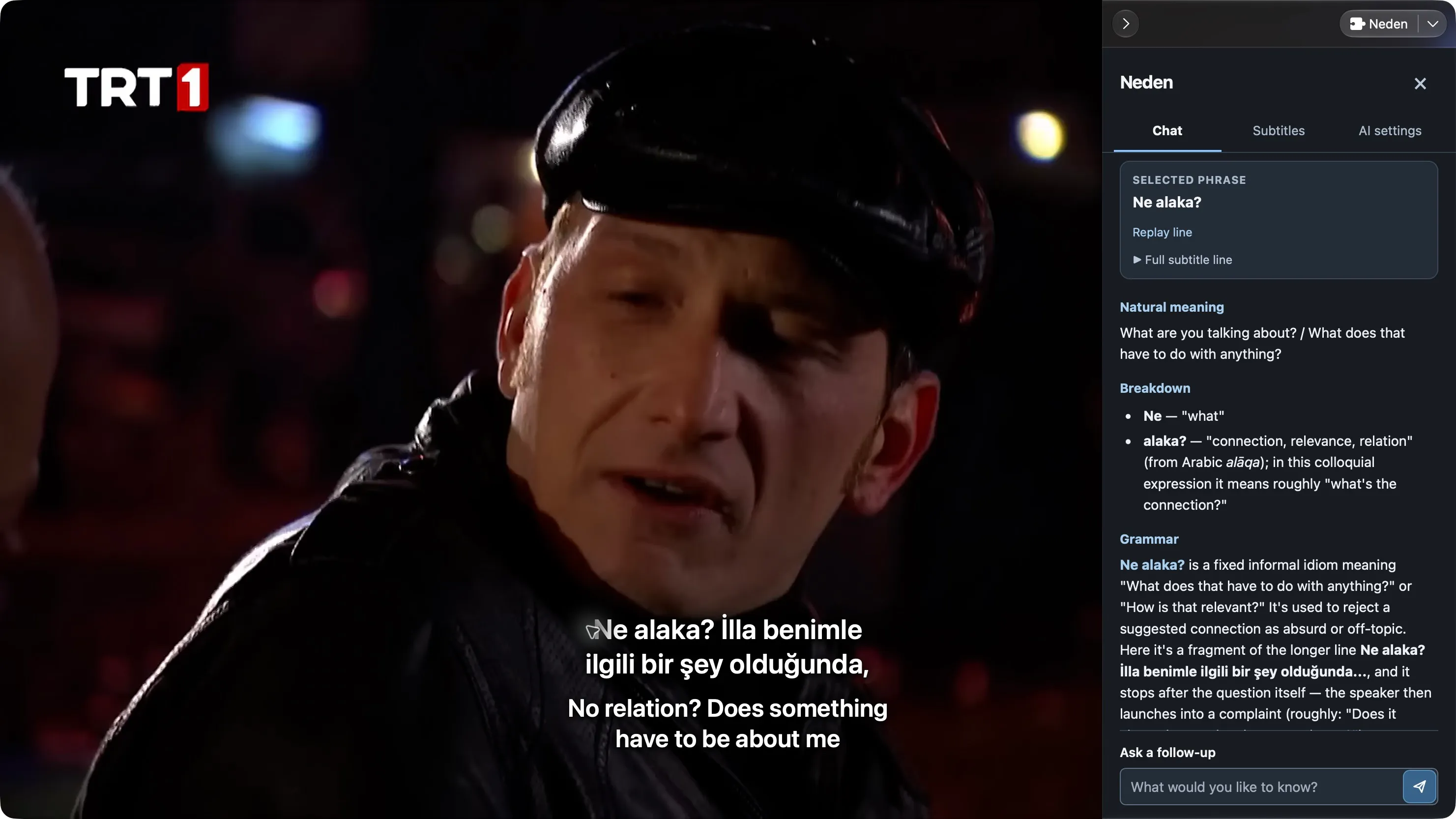
Learning Turkish in IINA
I use Neden while watching Turkish television in IINA, a macOS video player. Click a subtitle word for a quick meaning, or select a phrase to pause playback and open an explanation beside the video. You can ask follow-up questions in the same conversation.
I designed the interface, built the TypeScript plugin and Swift helper, and handled packaging and testing in the installed player.
Word lookup and phrase explanations
Clicking a word opens a small card over the video. You can choose Google Cloud Translation or Microsoft Translator and supply your own key. Google returns one translation. Microsoft’s English dictionary can offer alternatives, falling back to translation when it doesn’t have an entry.
Selecting a phrase opens the AI sidebar. The prompt asks for its natural meaning, a breakdown of the selected words, and grammar where useful. The full subtitle line and neighboring cues provide context.
In the scene shown here, word lookup returns “broken” for “bozuk.” In the expression “moralin bozuk,” the meaning is closer to feeling down.
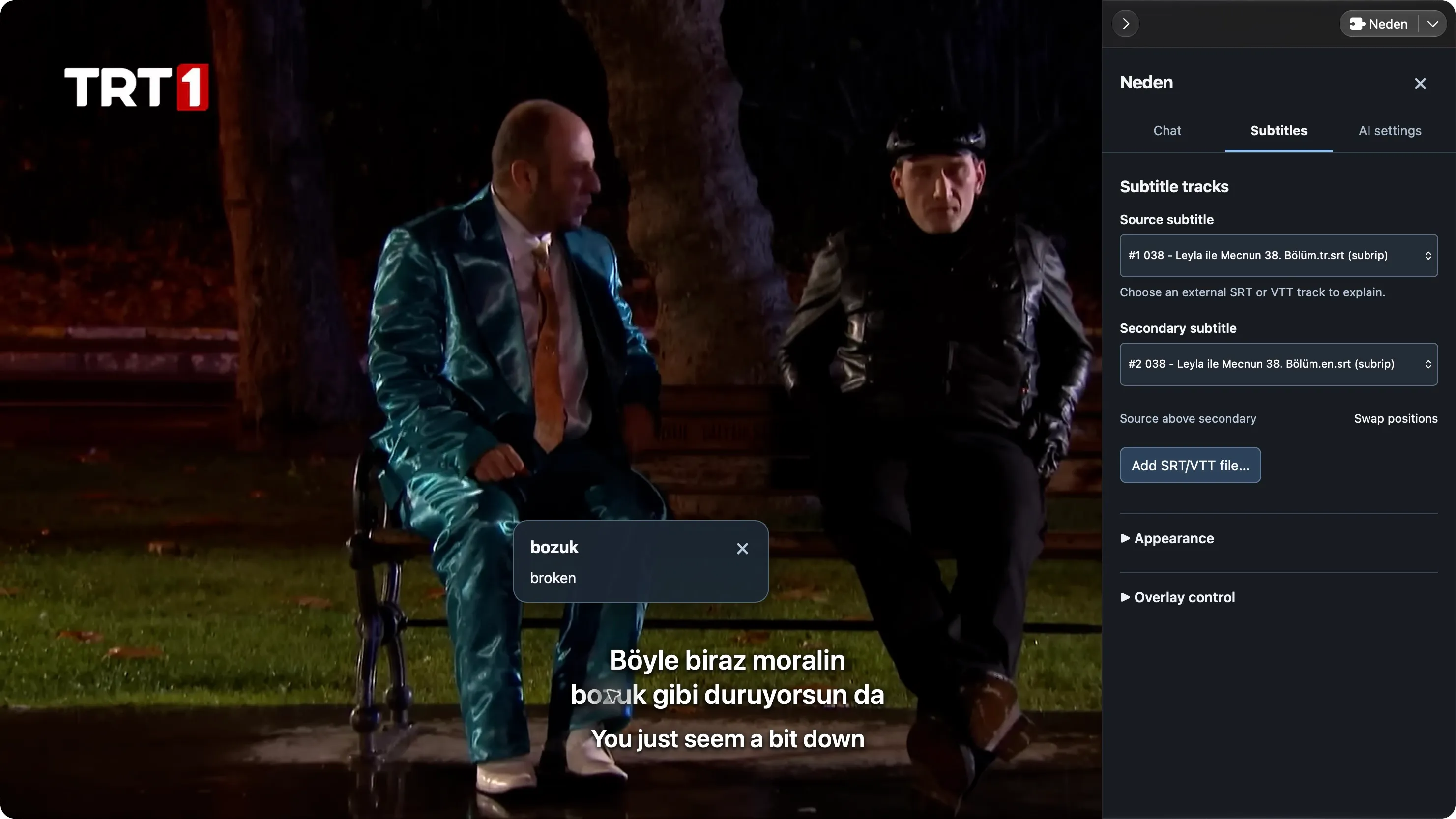
Streaming answers during playback
A Swift helper for streaming
The IINA HTTP API I inspected didn’t let me display an answer as it arrived. I built a Swift helper to receive the response in chunks, then pass the text to the TypeScript sidebar. I tested how it handles responses split across chunks, interrupted connections, and timeouts.
Discarding late responses
A new selection, track change, or different movie can make an in-flight response irrelevant. The plugin checks which player, conversation, and selection a response belongs to before displaying it, so an old answer cannot overwrite a newer explanation. Stop leaves a partial answer visibly incomplete.
Pause, resume, and replay
Selecting a phrase pauses the video so you can read the explanation. Replay line lets you listen to the same phrase several times to get familiar with how it sounds. Each press plays the selected subtitle line once, then returns to your previous position in the episode. You can close the panel to return to watching and reopen it to continue the conversation.
Source and translated subtitles
You can display the original dialogue alongside a translation and select words or phrases from the source subtitle. The controls let you choose and swap the tracks, adjust their appearance, and include the translation in AI context. Neden saves your track choices for each movie.
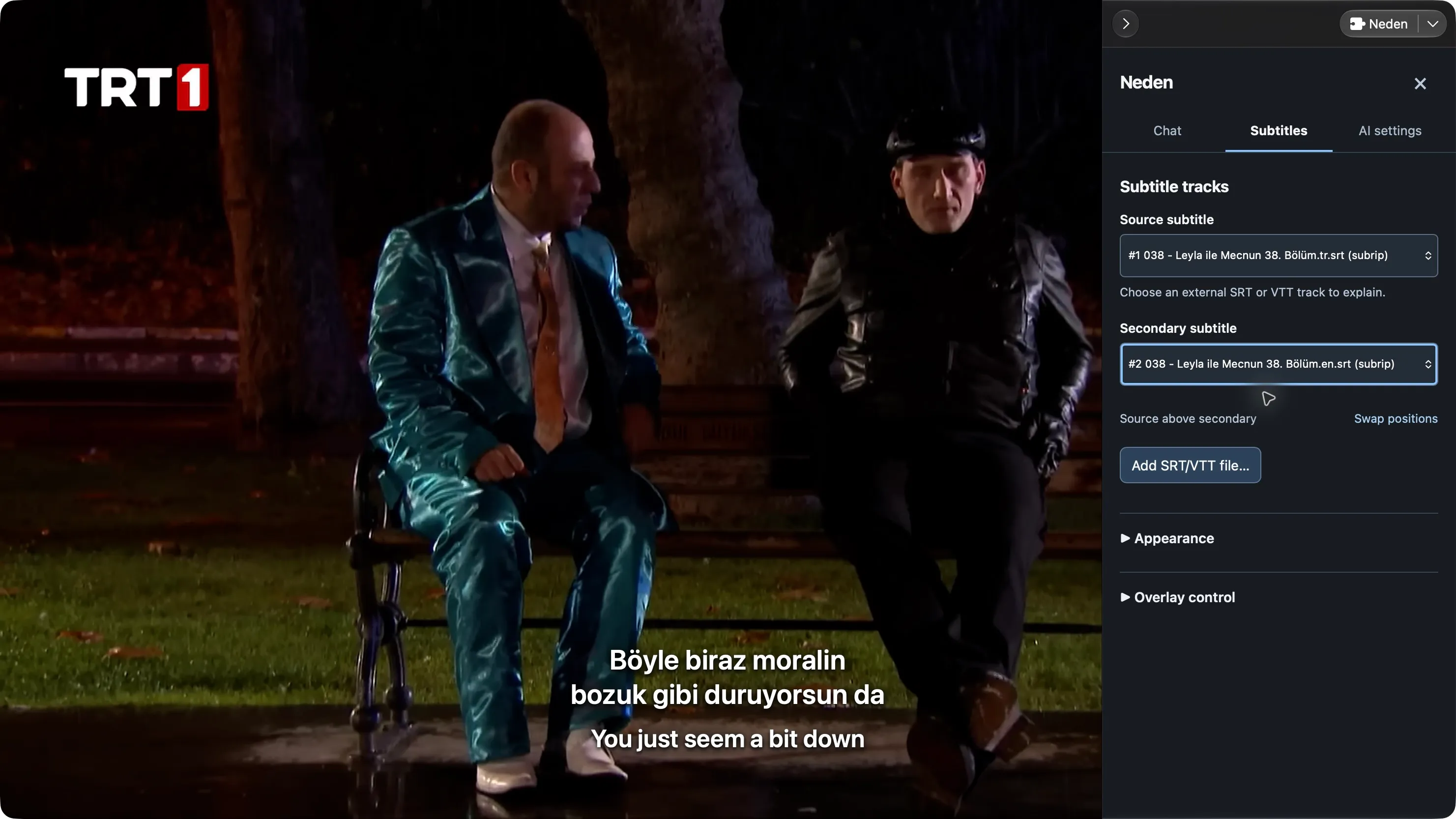
Screenshots show the installed plugin during a Leyla ile Mecnun episode, with Turkish and English subtitles.
Provider requests and saved keys
Requests go directly to the learner’s configured providers. Word lookup sends the clicked word; phrase explanations send the selection, its cue, nearby subtitle context, and conversation turns. The video and complete subtitle file are not uploaded.
Neden stores provider keys through IINA’s macOS Keychain integration. Once saved, the keys aren’t sent back to the sidebar. The Swift helper receives them through private pipes, which avoids putting credentials in command arguments.
I also restricted how model responses are rendered and added validation for subtitle files and messages from the interface.
Learning with the shows I watch
Neden is part of how I study Turkish with Leyla ile Mecnun. I can pause on an unfamiliar expression, ask about it beside the scene, and replay the line before continuing the episode.
The source is available on GitHub, including the TypeScript plugin and Swift streaming helper.
Have a product priority that needs an owner?
I join B2B SaaS teams on contract to ship the features, internal tools, and integrations already on your roadmap.