LinkedIn Tools
Puts LinkedIn automation behind review queues, approval gates, and follow-up checks, so risky browser actions stay controlled.
I built a command-line automation system with per-action ownership and safety
I built a command-line automation system where every action has an owner, a safety boundary, and captured evidence.
Browser automation is easy to demo and hard to trust. The real risk was ownership: I needed to know which workflow could take each action, whether it was allowed, what evidence it captured, and how to check the result when the browser or LinkedIn left the outcome uncertain.
I put risky LinkedIn actions behind review and approval
LinkedIn Tools is a public Python project that brings networking, recruiter and agency outreach, opportunity research, comment collection, browser evidence, and local review into one system.
Every action has an owner, irreversible actions require explicit approval, and each run leaves enough evidence to inspect what happened.
Each workflow owns a narrow set of actions
Give each workflow an owner.
Connection requests, acceptance tracking, accepted follow-ups, and pending-invitation cleanup live under the network controller. Recruiter and agency outreach owns account sourcing, lead capture, drafts, dashboards, dry runs, and guarded message sends. Opportunity intelligence ranks buyer-signal comments but does not send, connect, or withdraw.
Require approval beside the real action.
Commands that can change LinkedIn default to a preview. The user has to allow sending or withdrawing beside the browser command that performs it.
Keep the evidence needed to inspect a run.
The system stores research runs, captured pages, action checks, saved candidates, accepted connections, extracted comments, rankings, browser evidence, and blockers so a run can be reviewed later.
The review screen shows what is ready, blocked, or uncertain
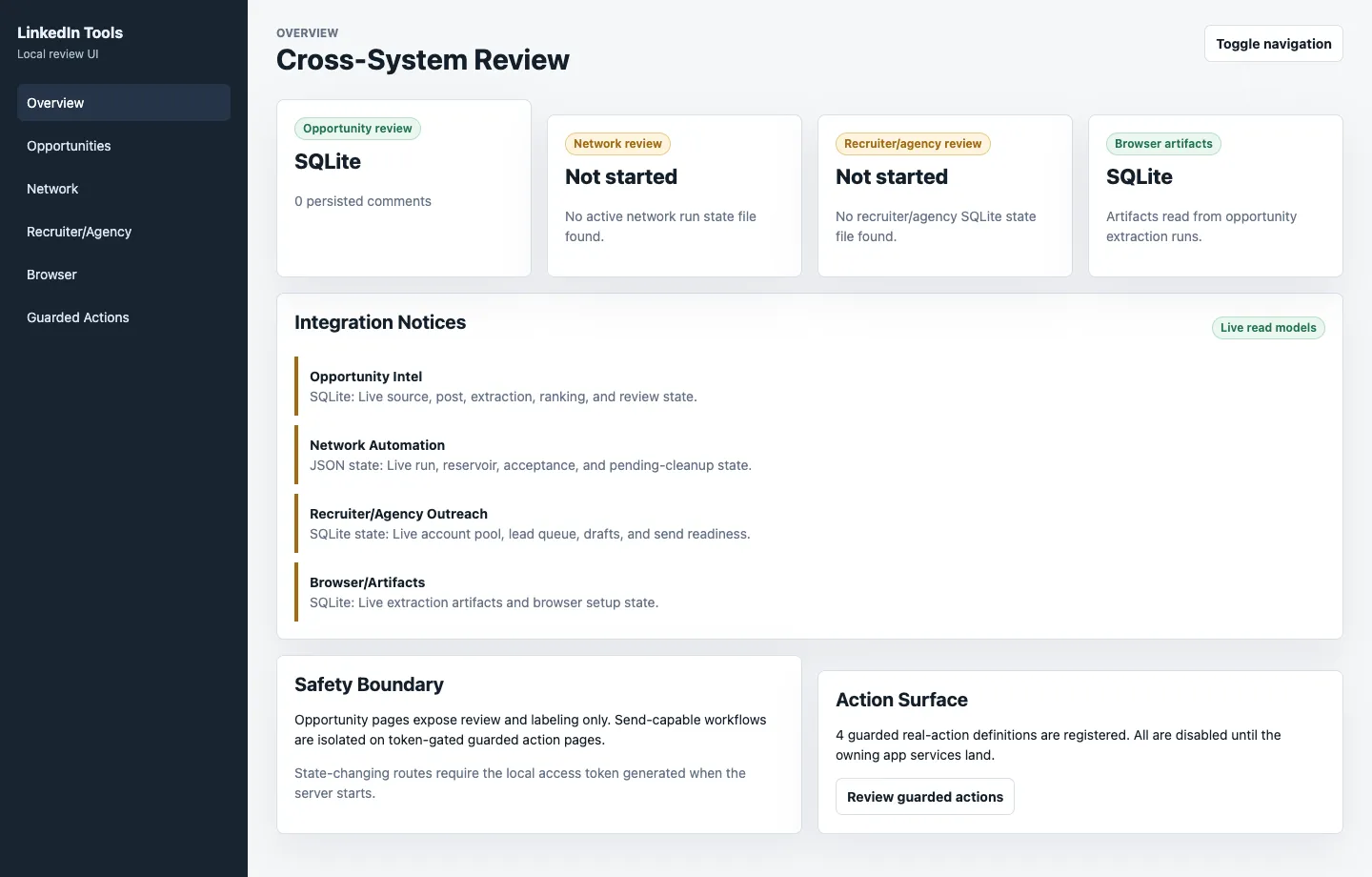
The local review screen brings opportunities, network state, recruiter and agency queues, browser evidence, and guarded actions into one place.
The screenshot shows the safety boundaries beside the actions they control. It uses isolated example data so the portfolio does not expose private LinkedIn account information.
Four workflows share the same safety rules
Networking keeps requests and follow-ups together.
The networking workflow handles Sales Navigator searches, saved candidates, connection requests, completed-action checks, accepted connections, follow-up drafts, browser sessions, and pending-invitation cleanup.
Recruiter and agency outreach stays separate.
This workflow handles account research, lead capture, message drafting, review screens, previews, and guarded sends. It requires a verified Sales Navigator identity before an agency contact can become ready to message.
Opportunity research can recommend but cannot send.
The research workflow manages approved sources, searches, imported results, post queues, browser captures, experiments, and review exports. Its first source set includes 38 enabled sources and ranks results by problem fit, buying signal, buyer fit, actionability, and immediacy.
Comment collection can resume after interruption.
Comment collection works from saved pages or the browser, respects safety limits, records progress, stores results locally, and keeps checkpoints and retry information.
The review screen reads the same saved state.
The screen shows research sources, post queues, collection runs, ranked comments, experiments, network runs, follow-up drafts, pending cleanup, recruiter leads, browser sessions, and guarded actions from the same local records used by the commands.
The controls are part of the product
LinkedIn Tools keeps saved state, action ownership, approval, and browser evidence in the same system, so an uncertain result can be checked before the workflow continues.
One command-line tool owns the active workflows.
Networking, recruiter and agency outreach, opportunity research, comment collection, and review each have a defined place in the same tool.
Send-capable workflows have clear owners.
Networking owns connection requests and accepted follow-ups. Recruiter and agency outreach can send reviewed drafts only. Opportunity research can recommend actions but cannot take them.
Real actions require approval flags.
The tool defaults to previews. Sending a message, requesting a connection, or withdrawing an invitation requires explicit approval next to the command that takes the action.
Uncertain browser work leaves evidence behind.
Each run records its inputs, browser evidence, completed actions, follow-up checks, research queues, rankings, and blockers so uncertain results can be inspected later.
Tests cover workflow contracts.
Tests cover follow-up checks, research sources, post queues, browser actions, recruiter and agency lead state, stored-data changes, and the review screen.
The same pattern applies beyond LinkedIn
This is how I would shape the same workflow inside a company once spreadsheets, chat threads, and ad hoc scripts start to break down.
I would give each action an owner, store the workflow state, require approval for irreversible actions, and capture enough evidence to make the next step visible. Automation can then continue only when the system can explain what happened.
The implementation is public
The repository contains the Python command-line tools, approved source lists, review screen, browser actions, test data, and automated tests.
View GitHub repo →
Need an engineer who can work directly with your clients?
I work with clients on discovery, scope, implementation, and handoff. Available for fully remote roles and contracts.